OKX Europe's one-way USDT-to-USDC conversion for EEA residents
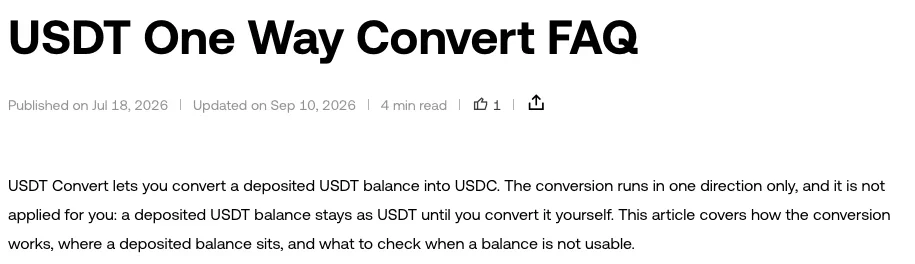
If you're in the EEA, OKX Europe takes USDT deposits for one purpose: turning them into USDC. The conversion has been available since 17 July 2026, runs in one direction only and doesn't happen by itself, so a deposit stays USDT until you open Convert and confirm. Once you confirm, there's no way back to USDT on OKX Europe.
Why USDT can be deposited on OKX Europe but not traded
OKX's Learn article on the feature gives the reason in one line: USDT is not a permissible stablecoin in the EU, because its issuer has not obtained the authorisation required under MiCA, the EU's crypto-asset regulation (Regulation (EU) 2023/1114). So USDT isn't available to trade for users residing in the European Economic Area, and USDT deposits are accepted solely so they can be converted to USDC. The feature doesn't reopen USDT trading and doesn't let you hold USDT as an investment on OKX in Europe.
The regulators' side has two dated steps you can read yourself:
| Date | What ESMA published | Who it is addressed to |
|---|---|---|
| 17 January 2025 | A statement asking national authorities to make sure crypto-asset service providers comply on non-MiCA-compliant stablecoins as soon as possible and no later than the end of Q1 2025 | National competent authorities and crypto-asset service providers |
| 8 October 2026 | An opinion saying MiCA-authorised providers should cease services related to non-MiCA-compliant stablecoins for EU clients, across trading, exchange, transfers, custody and the other MiCA services | The same two groups |
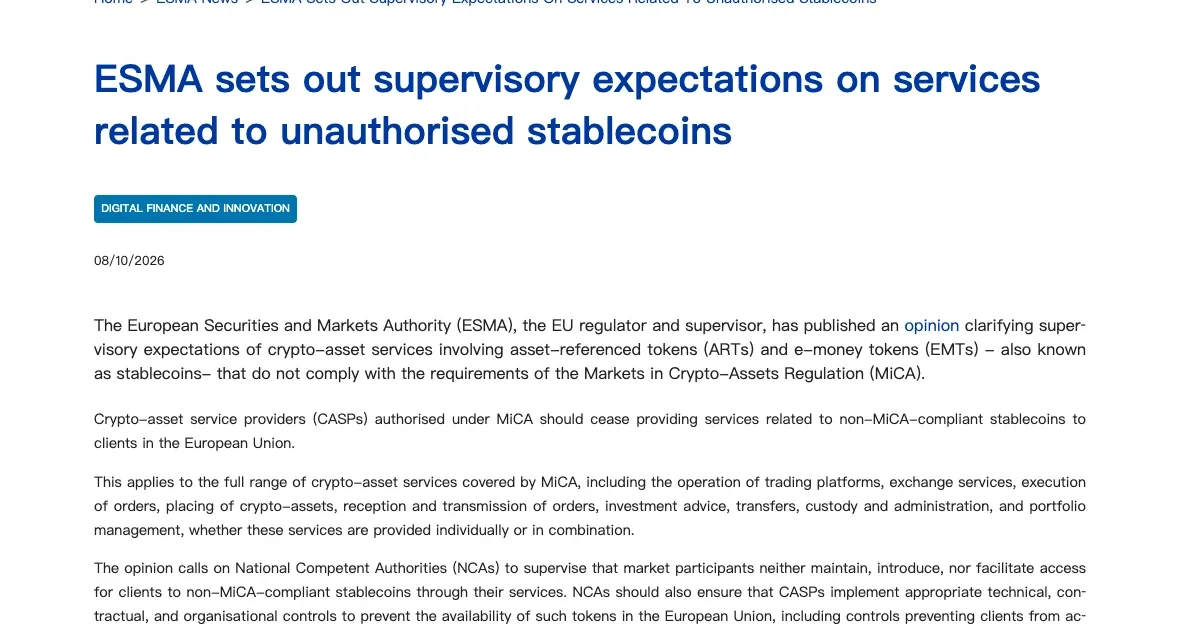
The October 2026 opinion also says that when national authorities find remaining pre-existing exposures, they should require remediation as soon as possible and no later than three months after its publication. Counting three months from 8 October 2026 lands on 8 January 2027. That deadline is ESMA's, set for regulators and service providers; it isn't a date OKX has announced. Where services do continue, they should be strictly limited to liquidation, conversion, withdrawal, transfer or safekeeping, and remain time-limited, risk-based and closely supervised.
On the OKX side, the conversion is offered while the service remains available, and neither OKX page puts an end date on it.
Depositing USDT and converting it to USDC, step by step
The conversion is open to users located in the EEA, on the OKX website and in the app. You deposit USDT and convert it, one time, into USDC, and OKX doesn't do that step for you. A deposited USDT balance stays as USDT until you convert it, and leaving it untouched doesn't convert it later.
The two OKX pages word the waiting period differently. The Learn article says you can deposit and hold USDT in your EU account but have to convert it before it can be traded, withdrawn or held; the help FAQ says the feature doesn't let you hold USDT as an investment. Neither describes anything you can do with the USDT balance other than convert it, so plan the deposit around the conversion rather than leaving USDT parked there.
Send USDT on a network OKX Europe lists for this conversion
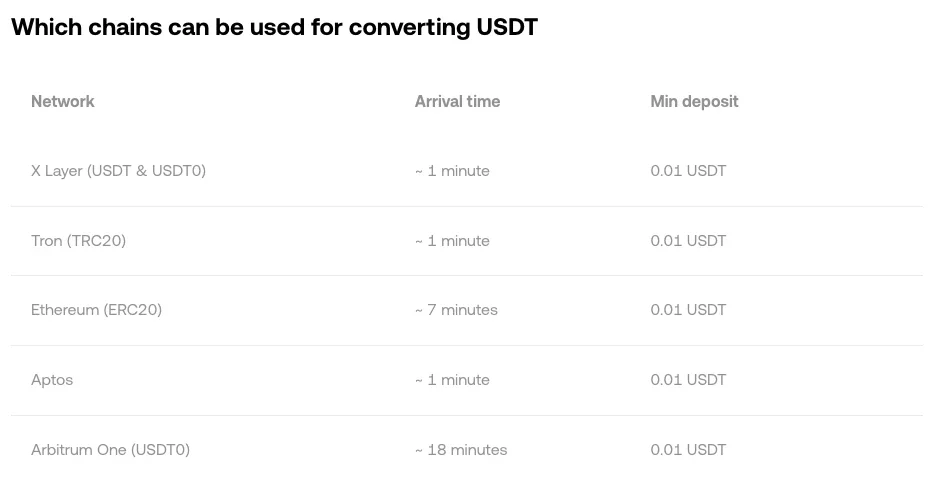
If the USDT is on another platform, withdraw it to your OKX deposit address using the same network on both sides. These are the networks listed for the conversion, each with its own minimum deposit and an approximate arrival time:
| Network | Minimum deposit | Arrival time shown |
|---|---|---|
| X Layer (USDT & USDT0) | 0.01 USDT | ~1 minute |
| Tron (TRC20) | 0.01 USDT | ~1 minute |
| Ethereum (ERC20) | 0.01 USDT | ~7 minutes |
| Aptos | 0.01 USDT | ~1 minute |
| Arbitrum One (USDT0) | 0.01 USDT | ~18 minutes |
| Avalanche C-Chain | 0.01 USDT | ~1 minute |
| Berachain (USDT0) | 0.01 USDT | ~1 minute |
| Monad (USDT0) | 0.00000001 USDT | ~1 minute |
| Optimism (USDT & USDT0) | 0.01 USDT | ~20 minutes |
| Plasma (USDT0) | 0.01 USDT | ~1 minute |
| Polygon (USDT0) | 0.01 USDT | ~2 minutes |
| Solana | 0.01 USDT | ~1 minute |
| Tempo | 0.00000001 USDT | ~1 minute |
| The Open Network (TON) | 0.01 USDT | ~1 minute |
| Unichain (USDT0) | 0.01 USDT | ~25 minutes |
BNB Smart Chain isn't in that list. If the platform you're sending from only offers a network that isn't listed, don't send until you've found one that appears on both sides. If the sending platform asks you for the recipient's name, The EU Travel Rule: why your withdrawal asks for a name explains what that form is for.
Wait until the deposit is credited
The deposit has to be credited to your balance before Convert can use it. A credited deposit still isn't proof the asset can be converted, so if USDT doesn't show up in Convert, check where the balance sits. It can be in your funding account, your trading account, an Earn subscription or committed to an open order; move it to the account the conversion flow uses, then open Convert again. A balance tied up in an open order, Earn, margin or a running bot isn't free to convert until you release it.
Open Convert and check the preview before you confirm
Select the deposited USDT as the asset you're converting from and USDC as the asset you're converting into, enter the amount, then read the quoted rate and the amount you'll receive. Confirm only after checking that preview. A completed conversion can't be reversed.
If the balance is free and the conversion still fails, write down the exact error message, the asset, the amount and the time, and send those details to OKX support.
What you can do with the USDC after the conversion
USDC from the conversion is credited to your account balance and behaves like any other USDC you hold. It isn't marked, locked or restricted because it came from a conversion, and you don't need to deposit USDC separately before trading with it. There is no route back: OKX Europe has no reverse conversion from USDC into USDT.
Where that USDC can go is described with different levels of detail. The Learn article names trading, margin for X-Perps and Futures Bots, Earn APY and spending with the OKX Card. The help centre FAQ, which was revised more recently, names no products and says to open the product you want to use and check which assets that flow offers. I'd go by the FAQ and check inside each product before counting on it.
Since the conversion is final and runs in one direction, I'd deposit only the amount you've decided to turn into USDC. If you plan to trade the USDC, OKX trading fees: maker, taker and your account rate covers how your fee rate is set.