OKX euro withdrawals by SEPA — your first one needs a deposit from the receiving account
Pay euros into OKX from the bank account you want your money sent to, wait until that deposit is processed, and the account is cleared for withdrawals. After that, a SEPA withdrawal starts from Assets › Withdraw on the website or Transfer › Withdraw in the app, and the limits on it reset on a rolling clock.
Who can withdraw euros from OKX by SEPA
EUR local bank transfers on OKX are offered only to European customers, meaning residents of EEA countries. Within that group, EUR cash withdrawals are open to eligible customers who meet the applicable verification requirements. If the option to withdraw EUR doesn't appear in your account at all, the account may not be eligible for the feature yet, and your verification status is the first thing to look at.
The web form starts from your EUR cash balance, so the euros you want to send need to be in that balance when you begin.
Verifying the receiving account with a deposit from it
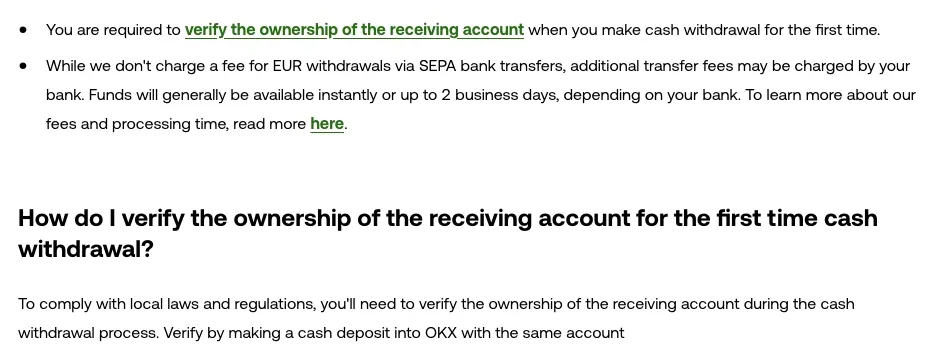
The first time you make a cash withdrawal, you have to verify that you own the account receiving the money. Local laws and regulations are the stated reason, and the method is a deposit: "Verify by making a cash deposit into OKX with the same account". The deposit is the check. Once it has been processed into your exchange account, the bank account counts as verified.
While the verification is still pending, the withdrawal can't go ahead. The order of events looks like this:
Send a euro deposit from the account you want to be paid into
Use the bank account that will receive your withdrawals and follow the usual SEPA deposit steps. How to deposit euros on OKX by SEPA bank transfer covers where to find the deposit details.
Wait until the deposit shows as processed
Verification is tied to the deposit being credited, not to the moment your bank sends it. If your bank flags a payee name mismatch before sending, read Verification of payee shows no match on a SEPA transfer before you go further. If the money comes back to you instead of arriving, the account hasn't been verified, and SEPA transfer returned? What your bank was checking goes through the usual return reasons.
Withdraw to that same account
With the deposit credited, start the withdrawal and pick the account you paid in from.
Withdrawing EUR by SEPA on the OKX website and app
On the website:
- Log in at okx.com, go to Assets and select Withdraw.
- Choose Cash and your EUR balance, then click Select on the withdrawal method.
- Pick SEPA, enter the amount and click Next.
- Enter your authorization code or SMS code and click Next to open the preview.
- Check the preview and select Withdraw.
In the app:
- Open the app and tap Transfer, then Withdraw in the pop-up menu.
- Select SEPA as the method and tap Next to enter the amount.
- Reconfirm the details on the withdrawal preview and select Withdraw.
- Enter your authorization code or SMS code and tap Confirm.
The order differs a little between the two: on the web the code comes before the preview, in the app after it. Either way, the preview is the last point where you see the amount and fees before the request goes in.
OKX fees, bank charges and how long a SEPA euro withdrawal takes
OKX doesn't charge a fee for EUR withdrawals by SEPA. Your bank may charge its own transfer fee on the incoming payment, and that comes from the bank's price list, not the exchange's. For cash withdrawals in general, every method shows its processing fee when you select it, and one that charges nothing is marked No fee. The fees actually charged are displayed again on the Preview screen before you submit, and any fee is deducted from the withdrawal amount instead of being added on top.
Say you withdraw €500 by a method that charges €2: €500 leaves your balance and €500 − €2 = €498 reaches your bank. For a SEPA euro withdrawal the €2 line drops out, so €500 leaves your balance and your bank's charge, if it has one, is the cost left to check.
The euros will generally be available instantly or up to 2 business days later, depending on your bank. Other cash withdrawal methods can take up to 5 business days depending on their type, so a time you saw on a different method doesn't carry over to SEPA. The processing time for the method you choose is shown when you select it.
To follow a withdrawal after sending it, the web path is Assets > Withdrawal > All withdrawals. In the app it's Portfolio > transactions, then filter by the Cash withdraw type. If the delay seems to be on the bank side, SEPA Instant vs SEPA credit transfer: how long each takes sets out the timing rules banks work to.
Why your daily SEPA withdrawal limit doesn't reset at midnight
Euro withdrawal limits aren't printed in the help pages. They appear on the withdrawal method itself, along with the remaining limit, and they can vary with the method you choose and your account verification level. How each kind of limit resets is spelled out, though:
| Limit | What it caps | When it resets |
|---|---|---|
| Daily | The most you can withdraw within a 24-hour period | On a rolling basis, 24 hours after each transaction, not at midnight |
| Weekly | The most you can withdraw over 7 consecutive days | On a rolling basis, 7 days after the transaction that reached the limit |
| Monthly | The most you can withdraw within a 30-day period | On a rolling basis, 30 days after the transaction that reached the limit |
On top of these there is a minimum amount per transaction, and a method can also cap the number of withdrawals you make in a defined period. Taken literally, the daily rule means a withdrawal made at 15:00 on a Tuesday keeps counting against your daily limit until 15:00 on Wednesday, whatever happens at midnight in between. If you plan to move a larger sum over several days, I'd note the time of each withdrawal instead of waiting for the date to change.