OKX KYC keeps failing? Causes, one by one
OKX usually shows a reason when it rejects a verification. Match it to one of four groups below: document photo, face check, name and details, or retry timing.
What OKX checks in identity verification
OKX has to confirm who's opening an account before that account can move real money, and its help material ties this to knowing its customers and meeting compliance obligations. In practice the check looks at three things: whether the document is in date and readable in the photo, whether your live face capture matches the document photo, and whether the name, date of birth and document number you typed match what's printed. Each section below covers one of those, which is why the system is strict about photo quality and consistency.
The four common document-photo failures
Glare or reflection
Glossy ID cards and passport bio pages reflect camera flash and overhead lighting easily. Take the photo in even, indirect daylight near a window, not under a direct ceiling light, and angle the document slightly if a hard glare shows up in the preview.
Cropped or cut-off edges
All four corners and edges of the document need to be visible inside the frame, with a bit of background around them. Filling the frame edge-to-edge with the document itself is a common way to accidentally crop a corner.
Expired document
An expired ID or passport fails verification regardless of photo quality. Check the expiry date before you start — it's the fastest rejection to avoid entirely.
Blurry or low-resolution capture
Hold the phone steady, let autofocus settle before the shutter fires, and clean the camera lens first. A shaky or soft photo can fail even when everything else about the document is fine.
Facial recognition failures
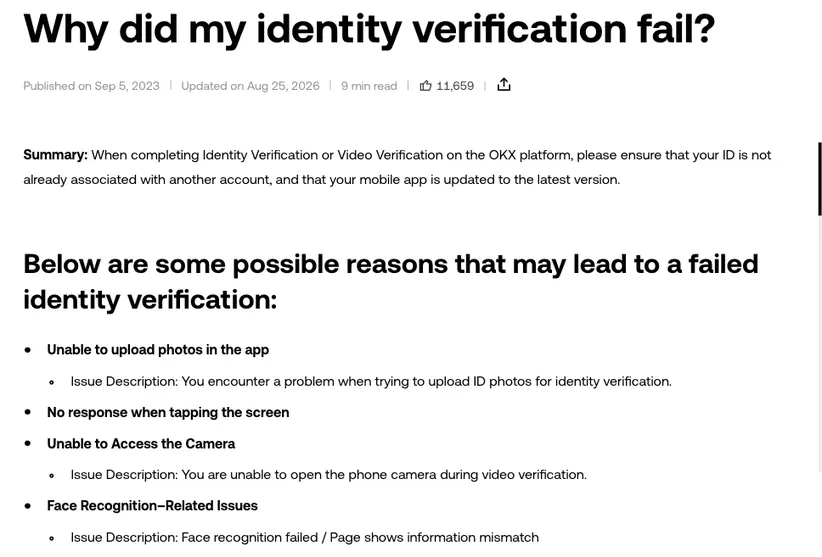
The face-match step compares a live capture against your document photo. OKX's own troubleshooting content for this step points at a short, practical list: poor or uneven lighting, wearing glasses, hats, or masks during the scan, holding the camera at an odd angle, and the camera or photo permission not being enabled on your device or browser. Fix the obvious ones first — take off glasses and hats, move somewhere with even light on your face (not backlit by a window), and double-check your device has actually granted camera access to the app or site before you retry.
Multiple attempts in quick succession, each failing for a slightly different reason, is usually a sign to stop and change the setup rather than keep retrying the same way. Move to a room with natural light facing you, set the phone at roughly eye level instead of angled up or down, and make sure nothing — hair, a hood, a phone case edge — is creeping into frame around your face before you submit again.
Name and detail mismatches
Verification checks that the name, date of birth, and document number you entered match what's printed on the document exactly — including middle names, generational suffixes, and diacritics where they appear. A common, avoidable failure is typing a shortened or reordered version of your name instead of what's literally printed on the ID. Type it exactly as it appears on the document, in the same order, before submitting.
Basic vs. deeper verification
OKX structures identity checks in stages — an initial verification to open and use the account, and additional verification steps that can be requested later for higher limits or specific activity, sometimes including source-of-funds or source-of-wealth documentation. The exact names, limits, and when the deeper stage gets triggered are set by OKX's current policy and can vary by region, so treat the specific thresholds shown on your own account screen as the accurate ones rather than any figure repeated elsewhere.
Retrying without burning your attempts
Repeated rapid-fire retries with the same flawed photo don't help — the same issue just fails again, and some accounts see a short cooldown period after several failed attempts in a row. Before you retry:
- Re-read the rejection reason if OKX shows one — it usually names the specific problem.
- Fix that one thing rather than reshooting everything from scratch and hoping.
- Check lighting and camera permissions again even if the failure looked document-related — sometimes the app couldn't read the photo cleanly for reasons that look like a different error.
- If you've hit a cooldown, wait it out rather than repeatedly resubmitting.